


My creatives with beautiful websites, I want to make sure you’re ranking on Google.
SEO this, SEO that, if you are a creative business owner, the likelihood that you want to consistently think about SEO on your website is slim to none. I don’t blame you – to the normal person, adding alt text to 500+ images sounds like a nightmare (I’m a freak and I love it).
As a fellow right-brained human who usually has zero interest in the analytic and organizational side of the digital world, SEO happens to be the one thing I understand. Think of this as your beginner crash course for making sure your site looks great, and functions even better. We’ll chat:
- What SEO is (in a way you can understand!)
- Why creatives struggle with SEO
- Baseline SEO checklist for your website
- What to expect from SEO
- Why SEO is important for your brand
What SEO Is (Simply):
You’ve read a million definitions on SEO, I want this one to be your simplest yet. In base terms, SEO is telling search engines what your site is about, why it’s important, and why they should recommend your website, based on a variety of factors related to structure, design, and content.
Through your website design, copywriting, and back-end organization of your website, our goal is to give as many specific, clear signals to Google as we can that we have something important to say (and they should recommend us).
Why Creatives Struggle With SEO:
SEO is overwhelming for anyone, but as a creative, it can feel especially tough. You’re used to working with the big picture, building the design, the creative vision, but when it comes to the structural side of DIYing your website, this is where you get stuck.
In all likelihood, you’re probably frantically Googling “what’s the difference between H1 and H2” and “how to write a good meta description”, and that’s perfectly okay! But, one thing we aren’t going to do is sacrifice searchability for beauty, because we can absolutely have both.
Your Baseline SEO Checklist:
Page Titles & Meta Descriptions
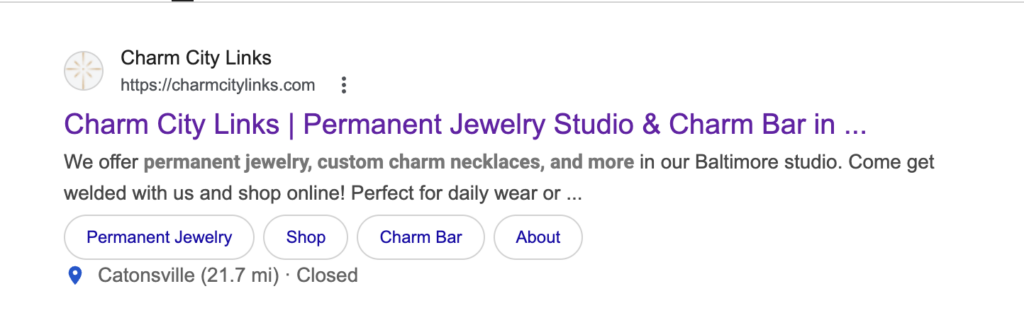
This is truly SEO 101. Your page titles and meta descriptions are what show up on Google when you search a specific phrase. For every page, you can customize the title and description. You want to include keywords in these, while still keeping them conversational. Take a look at this example from one of my clients (keyword: permanent jewelry).
URL Slugs
Your URL slugs are what comes after the backslash ( / ) on your website’s URL, and are essentially just your page labels! When you started your website, it was probably easy enough to keep track, but now you’ve lost count of how many pages you have, and what’s organized.
The most common issue I see is duplicate page slugs. For example, your ‘About’ page might be “yoursite.com/about”, but your portfolio page, contact page, etc are “yoursite.com/about-1-2” instead of the correct one. Go through each page of your website and make sure that your slugs are updated!
Title Tags
On your website, you have a text hierarchy: titles, headings, subheadings, and paragraphs. Headings are labeled H1-H6, with H1 being your “title”, or most important piece of information. You should only have one H1 label per page. Ideally, you want this copy to have a main keyword in it. For example, my H1 on my homepage is “Brand strategy and website copywriting for personality-packed service providers and founders.”
- “Brand strategy” and “website copywriting” are both keywords I want to target.
For the rest of your heading labels, think about labeling like you would a document hierarchy. You have one title (H1), then your main sections on each page are H2, if you have subheadings/points to that, those are H3, and so on. You’re trying to signal to Google exactly what this page is about, and in what order of importance.
Image Compression
If the images on your website always take a long time to load, they might not be web-optimized. Your website images should be under 500KB, and uploaded as a JPG. If you go to your Media Library on your website, replace and re-upload any large image.
- You can resize the image itself using this Image Resizer
- You can bulk compress images using this Bulk Image Resizer
Alt Text
Also known as ‘alternative text’, this is a huge way to improve your website’s SEO, especially for image-heavy industries like photographers, wedding planners, florists, e-comm, etc. Also part of compliance, alt text is a description of each image on your website, used for screen readers and people with visual disabilities.
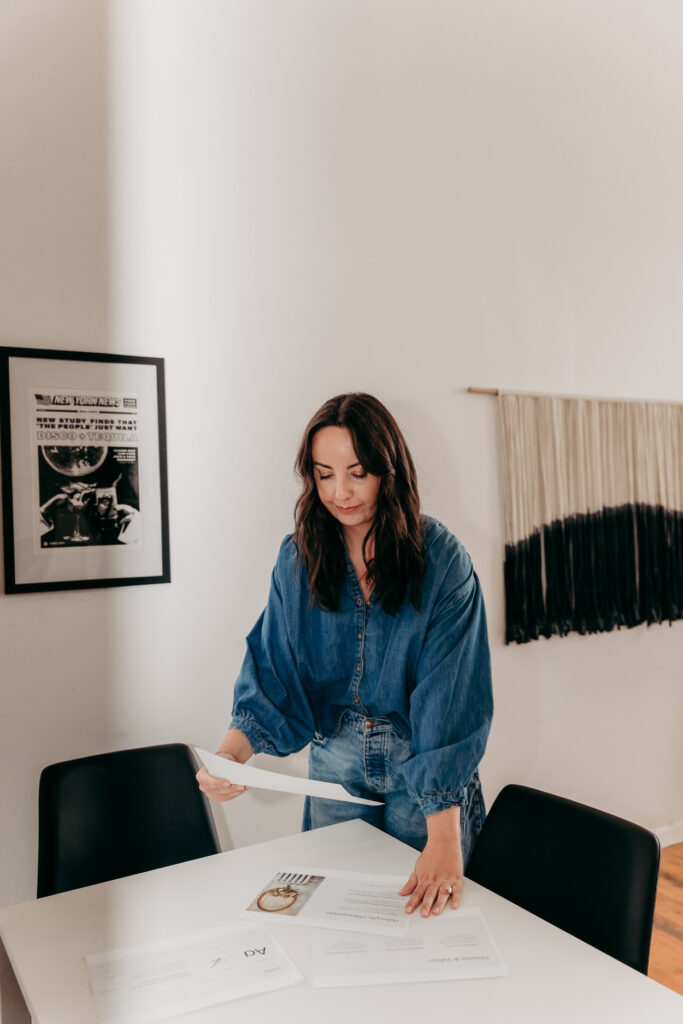
Pro Tip: You do not want to stuff these with keywords, but you can add in naturally.
Alt Text Example: Delia, brand strategist and founder of Tidewater Studio, looking down at slides from her brand strategy deck, wearing a dark denim blouse, and medium wash jeans.
What SEO Is NOT
Ok, now that you have the basic checklist down, I want to tell you why we’re doing it, but more importantly, bust all of the SEO myths from the marketing bros out there:
- It is not a quick fix. SEO is a consistent, long-term game. Google “crawls” or reads through your site periodically, and those updates take months, if not years to start building real authority (but every single blog post and functionality update helps). You can request that Google crawl your site through Search Console manually as well, which is basically like screaming into your megaphone “hey I have new content, come look”!
- It does not guarantee you will rank #1. There are so many factors that go into your website rankings, that guaranteeing a #1 ranking is literally impossible. Search intent, specificity, domain authority, location … I can go on. This is why your best bet is making SEO part of your routine (or hiring it out), so that Google has an array of content to understand who you are and how you can help.
Wondering how your website’s SEO stacks up?
SEO can be simple, I promise. My goal here is to make SEO less scary, so that making it part of your routine becomes second nature, not a nightmare. As an SEO-obsessed copywriter, it’s also my job to make sure that your website sounds beautiful, and functions just as well.
Focusing on strong SEO early on is one of the best ways to set your website up for success. Wouldn’t it be nice if your website did the talking for you? Brought people in that are so aligned with you and your business? Helped you sell consistently (so you can enjoy building your brand and not panicking about your next post)?
Now, if you’re wondering where to start, I have you covered:
- You can download my Spring Cleaning SEO Checklist here
- You can get my eyes on your site and make a plan with an SEO audit here


